1Record
Do the task once
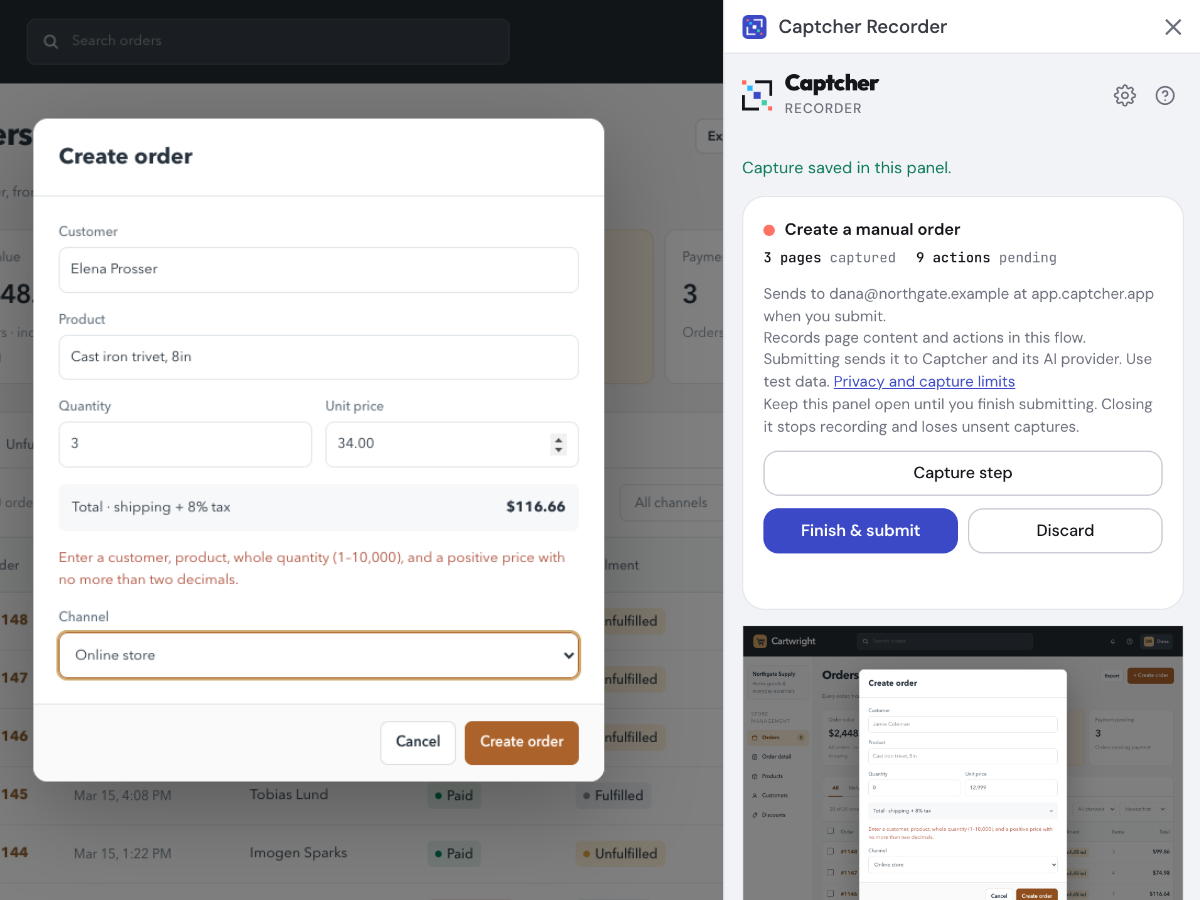
Start the Captcher recorder in Chrome and work through the task in your own web app. It captures every screen and every click as you go.
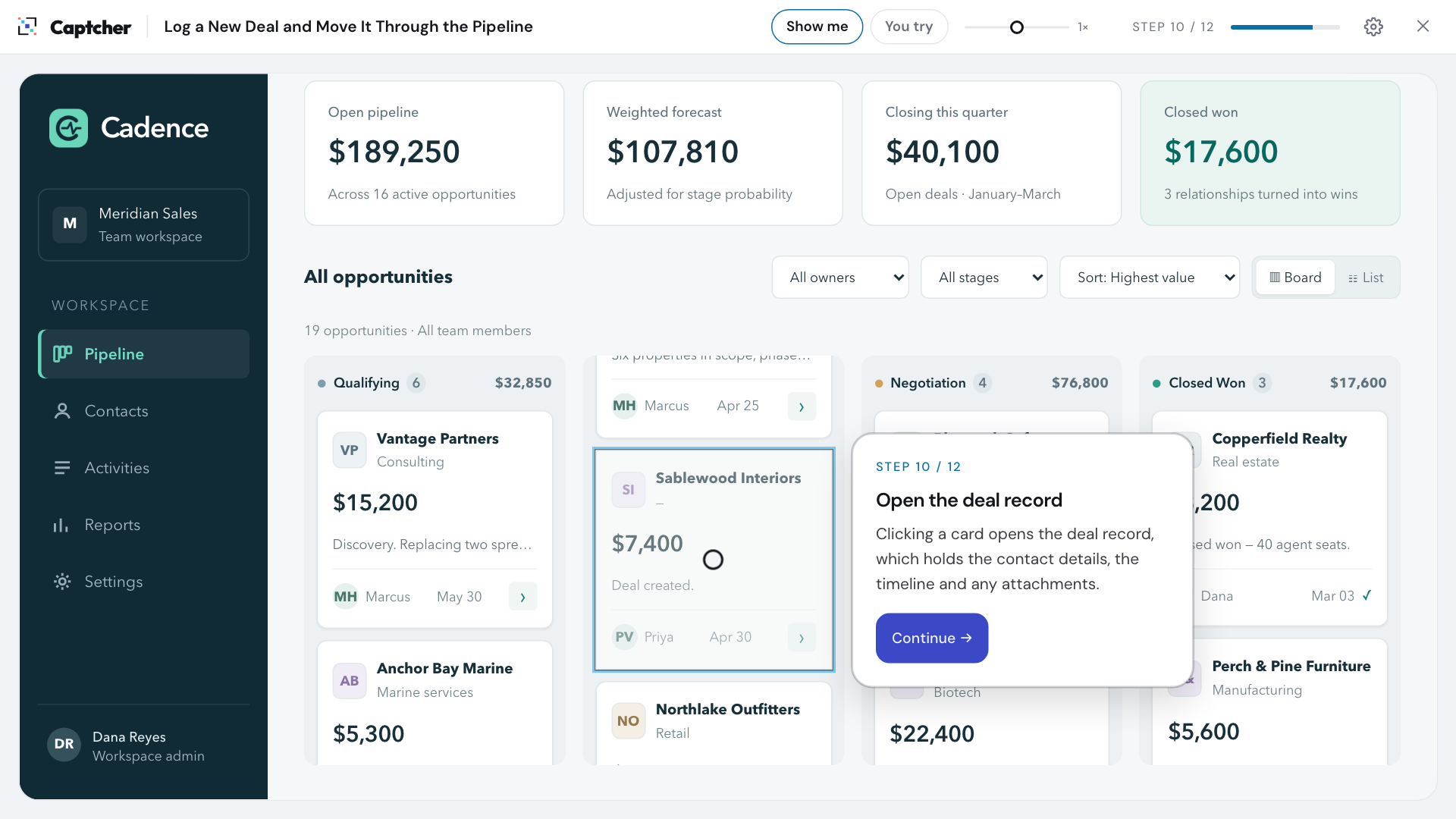
Record a task once in your real web app. Captcher's AI turns it into an interactive walkthrough that learners watch, then practice themselves, on a safe copy of the real screens.
Records in Chrome. Exports to SCORM, embeds anywhere.
How it works
No video editing, no slide builder and no front-end work. Just do the task the way you'd show a colleague.
Start the Captcher recorder in Chrome and work through the task in your own web app. It captures every screen and every click as you go.
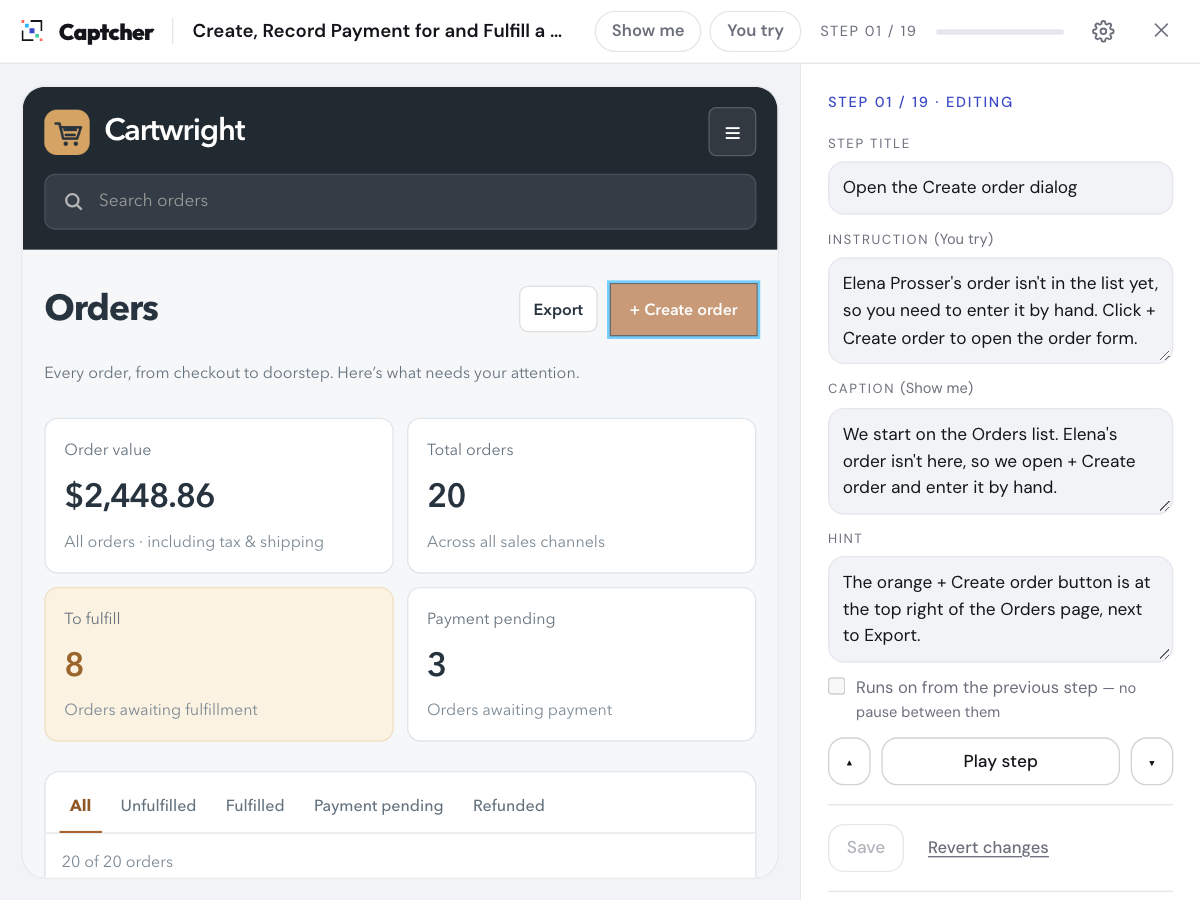
Captcher turns the raw recording into clear, numbered steps with instructions and hints. You review it, adjust anything you like, and publish.
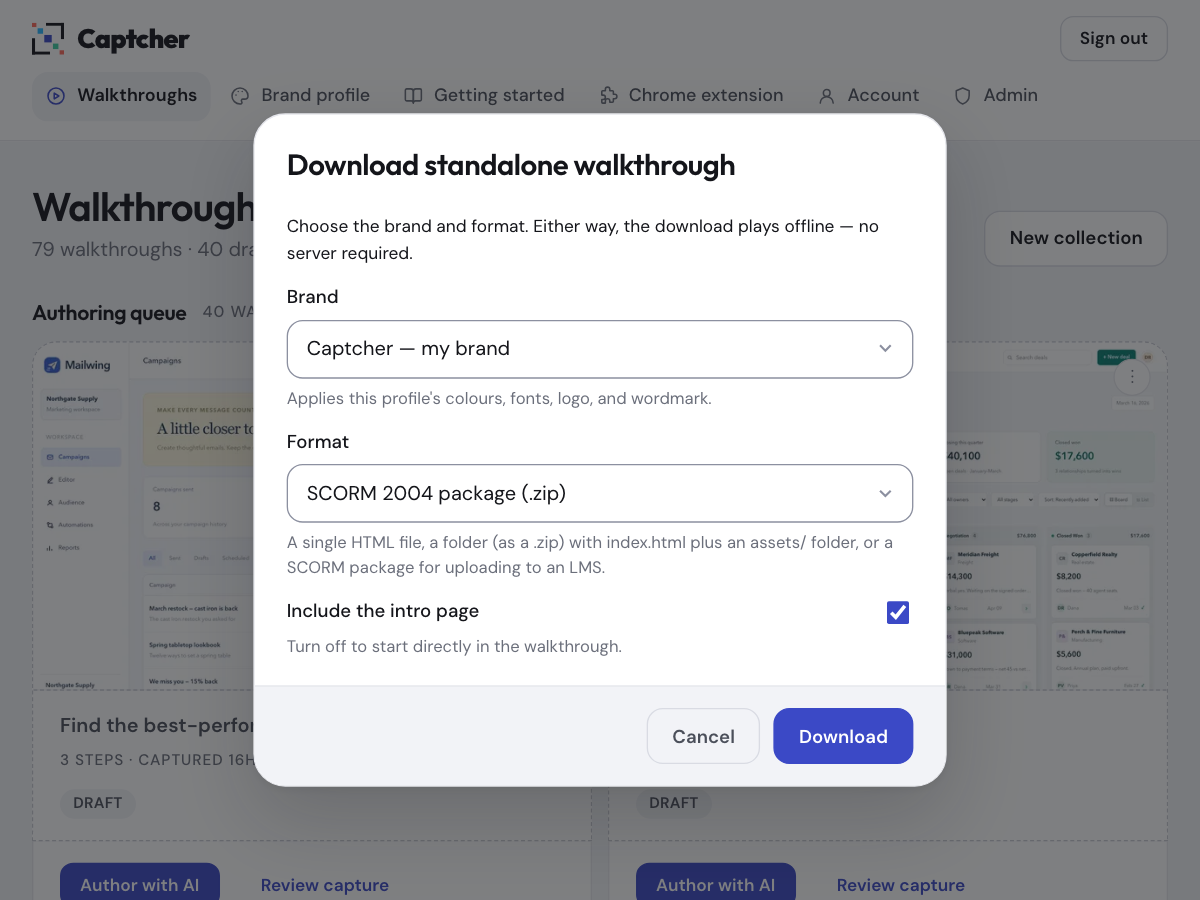
Send a link, drop a SCORM package into your LMS, embed it in your help center, or download a standalone file that plays offline.
Two modes, one recording
Every walkthrough plays two ways. Learners move from watching to doing without anyone building a second version.
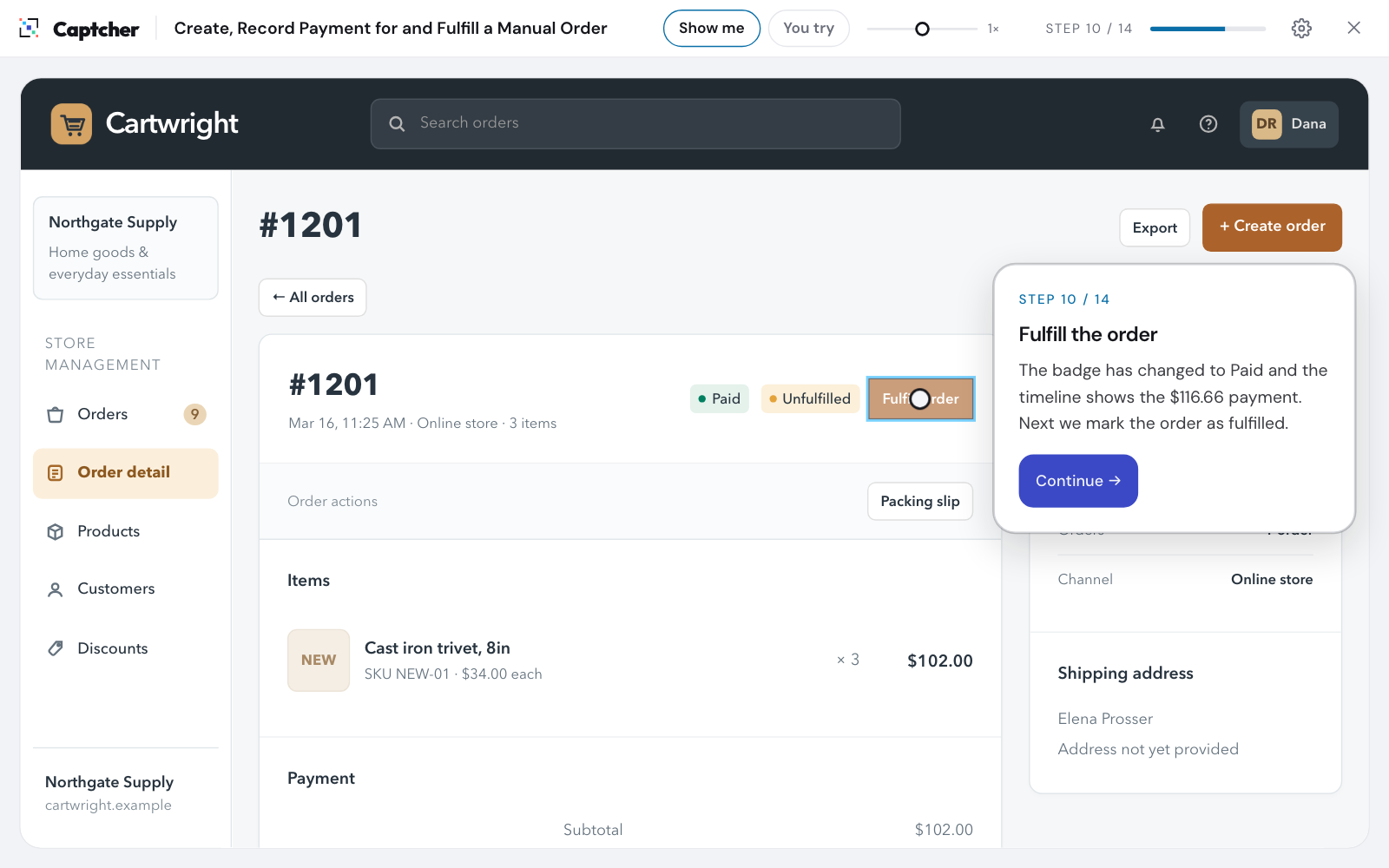
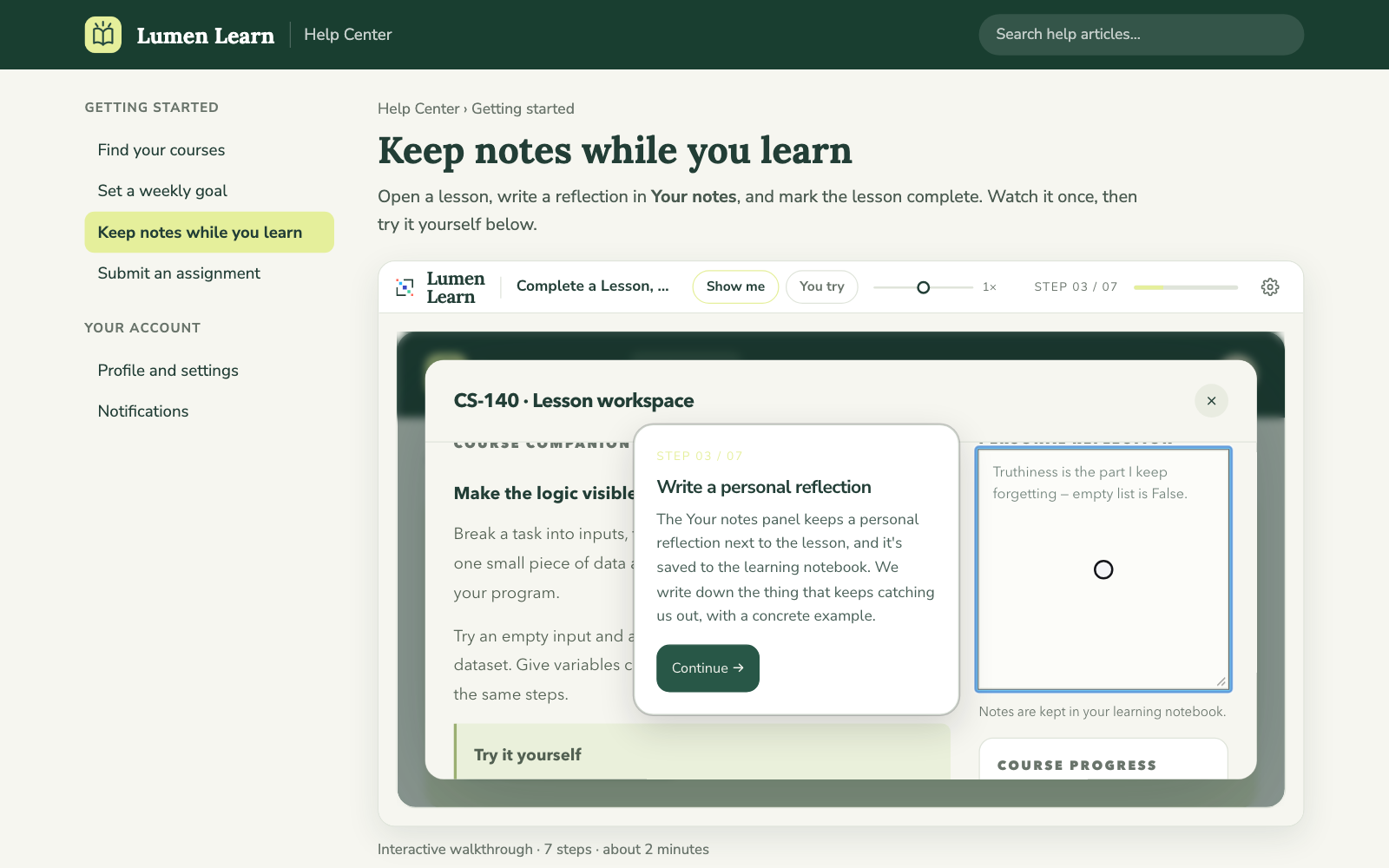
The walkthrough plays itself on the captured screens, step by step, with each click highlighted and explained.
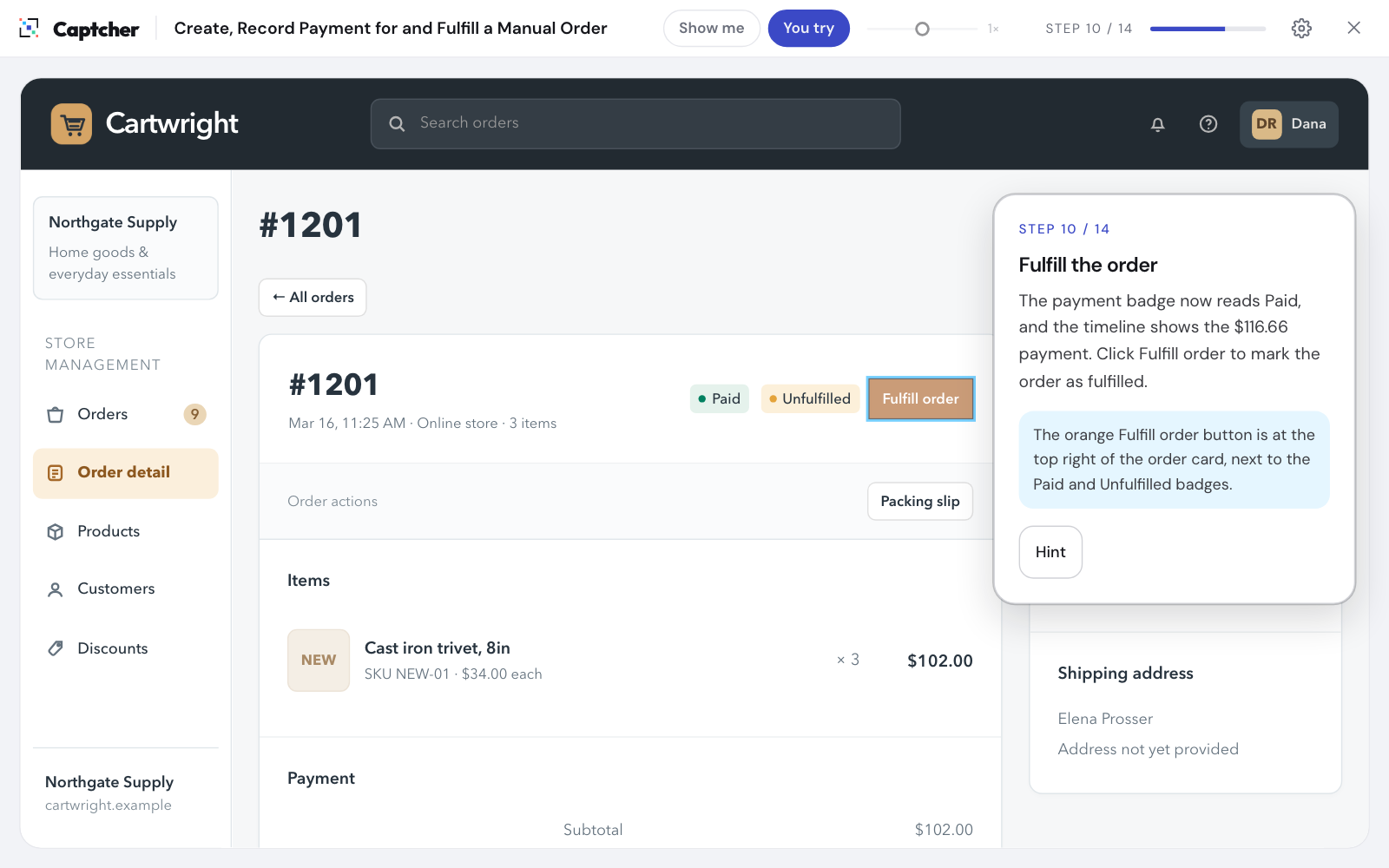
Learners click, choose and type for themselves. Captcher gives a hint when they're stuck and confirms each step they get right.
Nothing touches your live app No real data is changed Practice as often as you like
Features
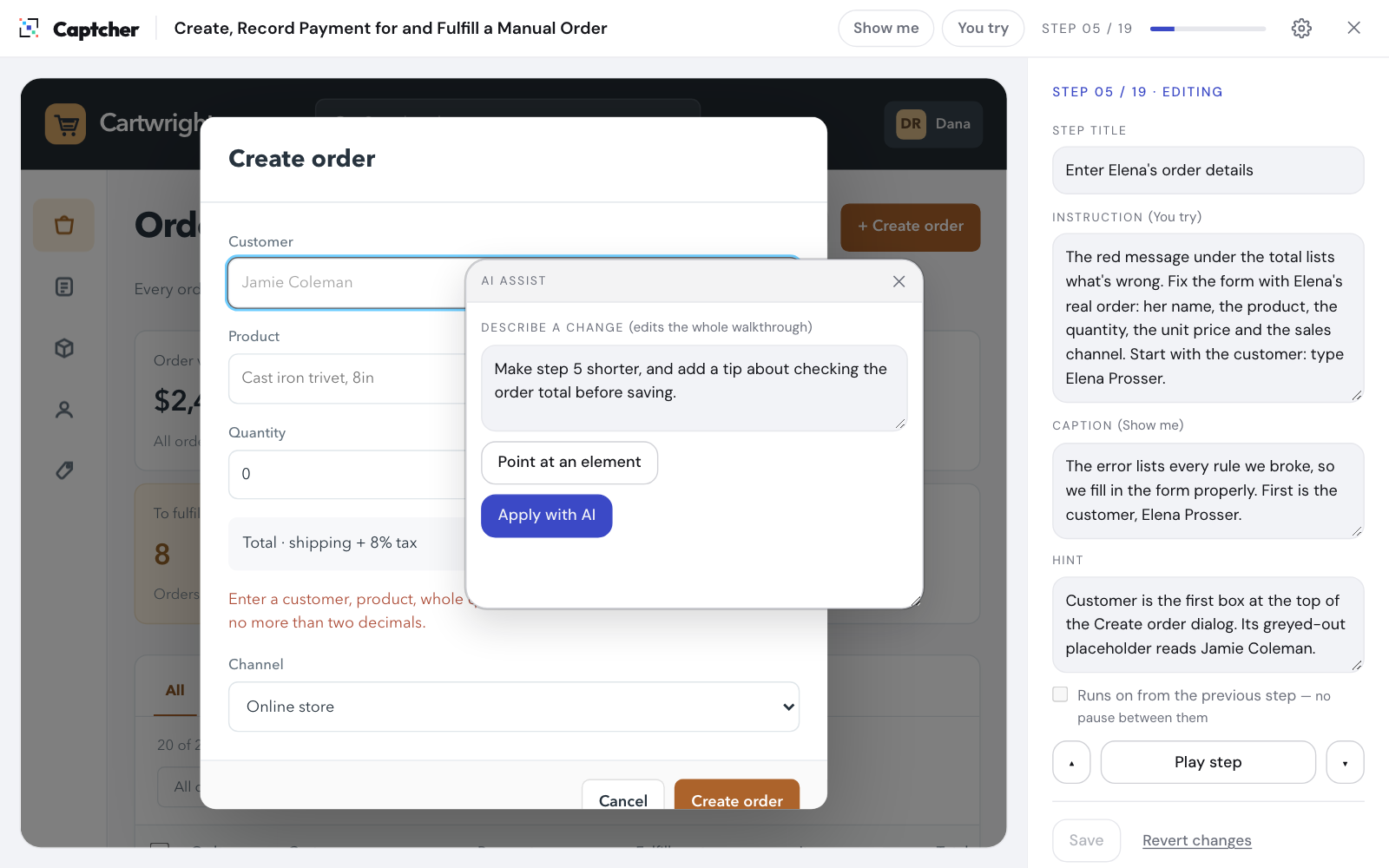
The AI drafts the whole walkthrough from your recording. Later, you can ask it for changes in plain words, such as “make step 4 shorter” or “add a tip about approvals”.
Learners work on frozen copies of the real screens. It looks exactly like your app, but it never connects to it.
Reword a step, move a highlight or reorder the flow. Every change is versioned, so you can always roll back.
Save brand profiles with your colors, fonts and logo so the player looks like part of your company.
Download a SCORM 1.2 or 2004 package for your LMS, or a single HTML file that plays with no internet connection.
Paste one snippet to embed a walkthrough on any page. You can also add a Help button to your own product that opens just the part of the screen the learner needs.
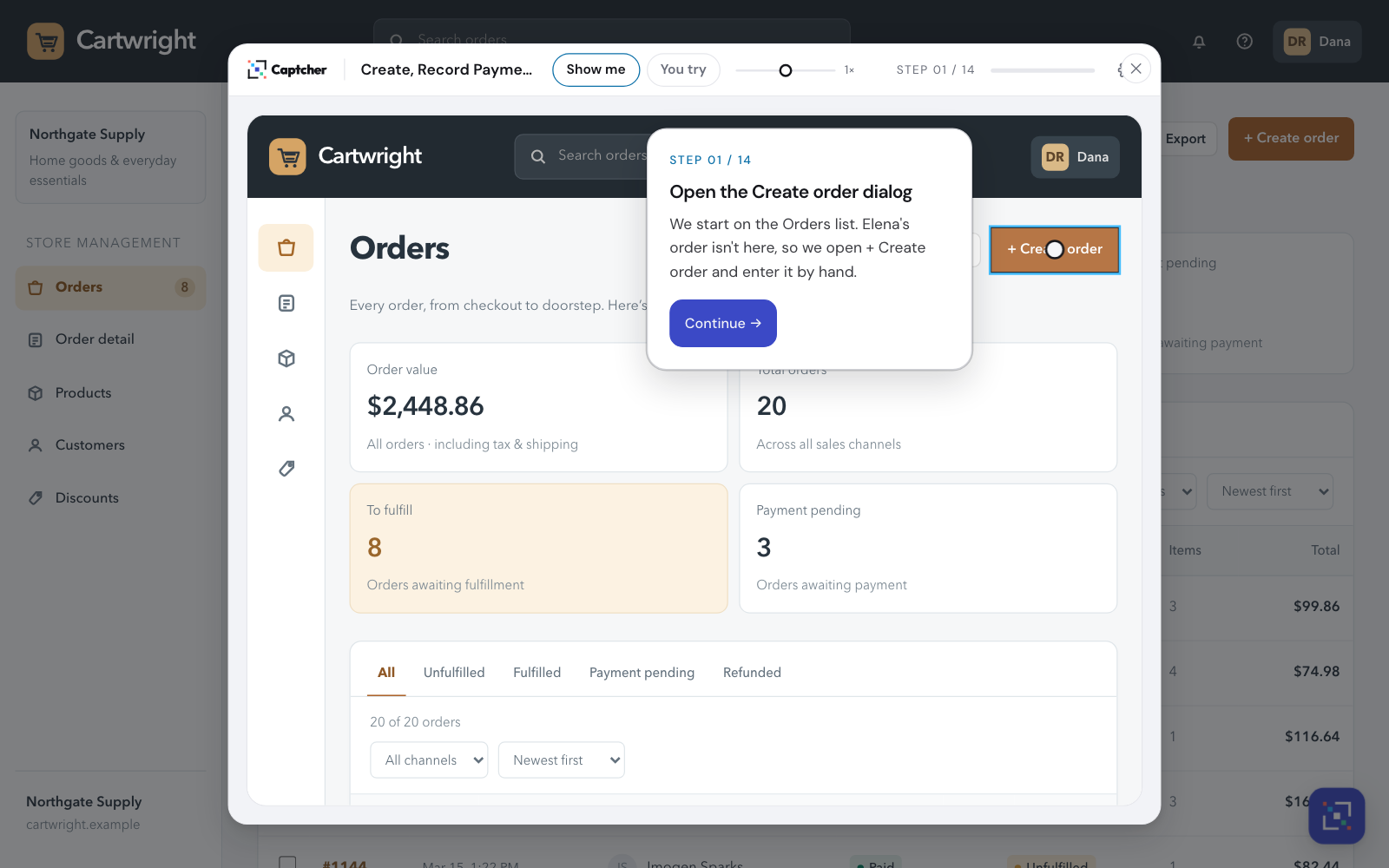
Every walkthrough has a hosted player link. Learners open it and start, with nothing to install.
Use cases
Your subject-matter experts already know the steps. Captcher lets them turn that knowledge into realistic practice for your CRM, ERP or HR system without an instructional design team.
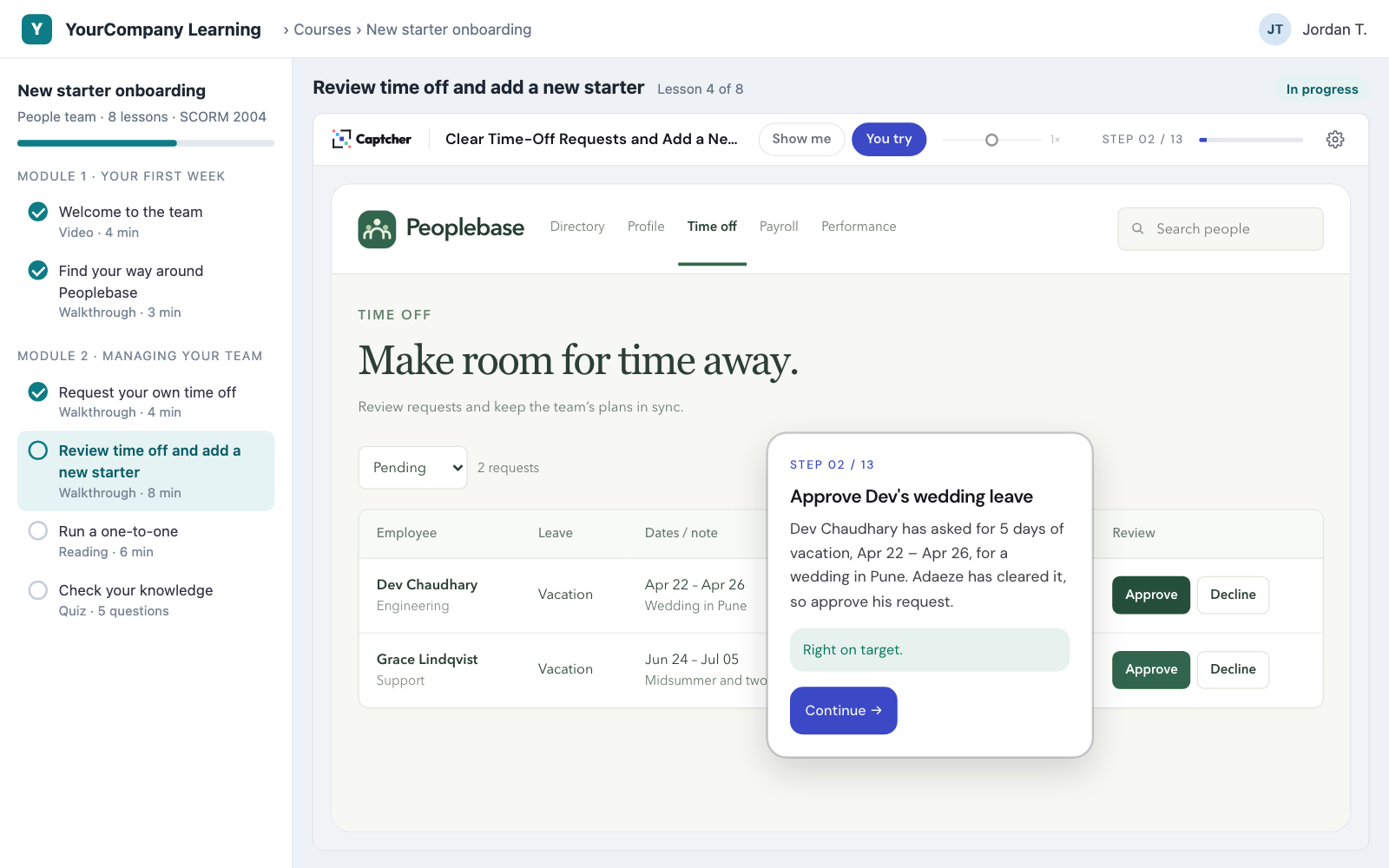
Replace screenshot-and-arrow articles with walkthroughs customers can try. Put them in your help center, your onboarding emails, or right inside your app.
FAQ
An interactive walkthrough of a task in a web app. It's built from real captured screens, so it looks exactly like your software. Learners can watch it (Show me) or do it themselves (You try).
No. The walkthrough runs on frozen copies of the pages you captured. Learners can click, select and type, but nothing reaches your real system and no real data changes.
Google Chrome and the Captcher recorder extension. Sign in, start recording, do the task once, and upload. Captcher can record most web-based applications.
Captcher exports SCORM 1.2 and SCORM 2004 packages, which most learning management systems accept. You can also export a standalone HTML file that plays fully offline.
Edit the affected steps in the visual editor, ask the AI to revise them, or record the task again. It takes minutes, not a production cycle. Version history keeps every earlier edition.
Yes. Brand profiles set the player's colors, fonts and logo for hosted links, embeds and exports. The captured screens always stay exactly as your app looks.
Captcher is free while it's in open beta, and you don't need a credit card. More about the beta.
Captcher is free during the open beta. It's still in active development, so some features are unfinished and we'd love your feedback.
No credit card. Records in Chrome.